~/grkn/posts $ cat hey-http-load-generator.md
Hey: Http Load Generator
Are you looking for a benchmark program? Do you need to send some traffic into your web application? Learn how to do with hey.
hey is a tiny program that sends some load to a web application. It is written in Go.
If you’ve used Apache Benchmark (ab) before, you can think of hey as an alternative to it. When I need to test the performance impact of an API under high load, I use hey. Or, when I need to set up a new server, I create a website on it, then I clone the files of a WordPress website into it, send traffic, and tune the server. If I’m curious about a framework’s performance, I use it to compare benchmarks.
Installation
or, if you’re using Mac and brew package manager, you can install with brew install hey.
Usage
➜ ~ hey --help
Usage: hey [options...] <url>
Options:
  -n  Number of requests to run. Default is 200.
  -c  Number of workers to run concurrently. Total number of requests cannot
      be smaller than the concurrency level. Default is 50.
  -q  Rate limit, in queries per second (QPS) per worker. Default is no rate limit.
  -z  Duration of application to send requests. When duration is reached,
      application stops and exits. If duration is specified, n is ignored.
      Examples: -z 10s -z 3m.
  -o  Output type. If none provided, a summary is printed.
      "csv" is the only supported alternative. Dumps the response
      metrics in comma-separated values format.
  -m  HTTP method, one of GET, POST, PUT, DELETE, HEAD, OPTIONS.
  -H  Custom HTTP header. You can specify as many as needed by repeating the flag.
      For example, -H "Accept: text/html" -H "Content-Type: application/xml" .
  -t  Timeout for each request in seconds. Default is 20, use 0 for infinite.
  -A  HTTP Accept header.
  -d  HTTP request body.
  -D  HTTP request body from file. For example, /home/user/file.txt or ./file.txt.
  -T  Content-type, defaults to "text/html".
  -a  Basic authentication, username:password.
  -x  HTTP Proxy address as host:port.
  -h2 Enable HTTP/2.
  -host  HTTP Host header.
  -disable-compression  Disable compression.
  -disable-keepalive    Disable keep-alive, prevents re-use of TCP
                         connections between different HTTP requests.
  -disable-redirects    Disable following of HTTP redirects
  -cpus  Number of used cpu cores.
         (default for current machine is 8 cores)
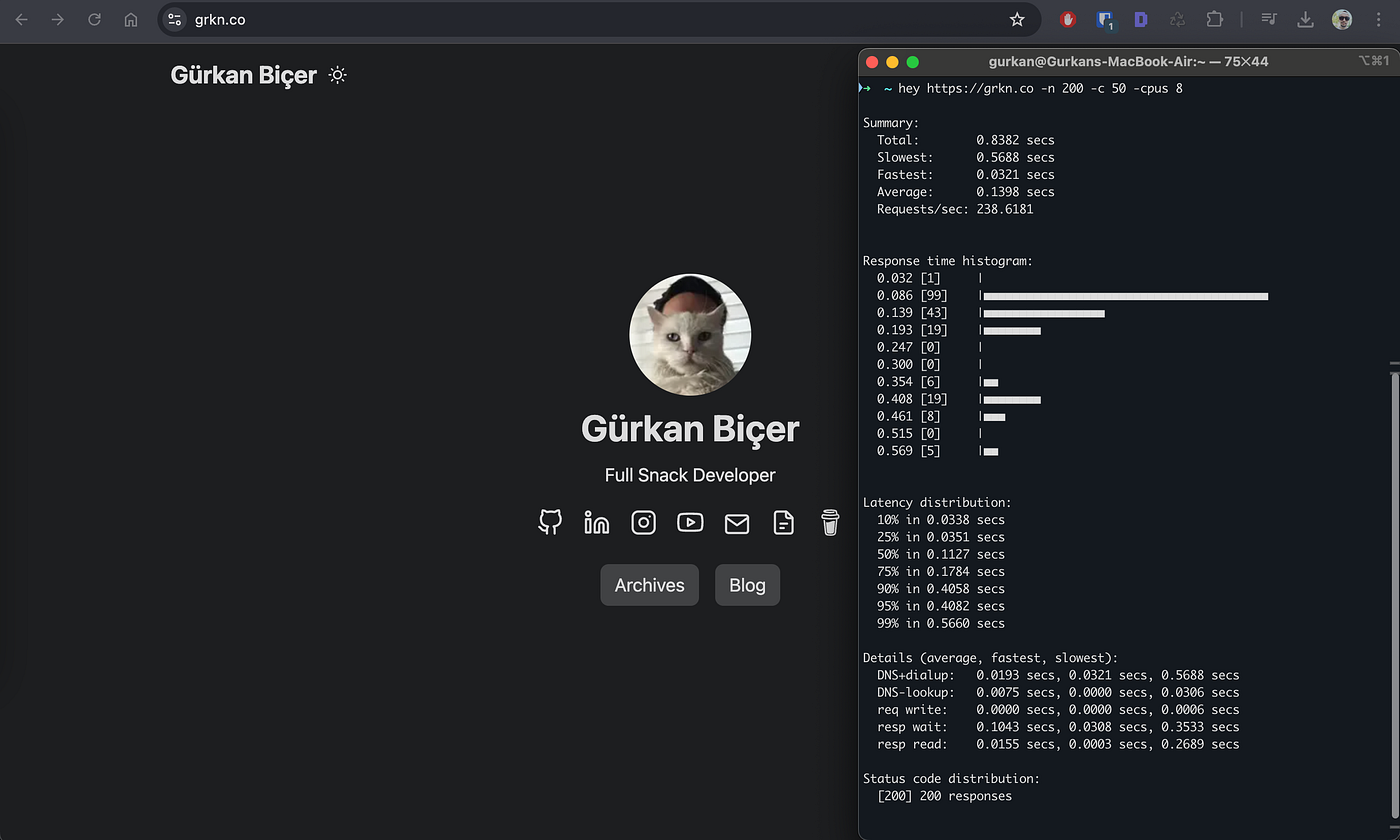
I ran a test for the grkn.co website homepage. I sent 50 concurrent requests, with a total of 200 requests, and it was completed under 1 second.
Client: Macbook Air M1–8 CPU / 16GB RAM (Izmir, Turkiye) Server: Github Pages behind Cloudflare Proxy ❤